Pulse uses the ZIP path; AE Theme and FrameStation use Windows setup. Pick the path for the file you downloaded, then restart After Effects when the install is done.
zip + setupwin / maccheck AE badge
Download✦ZIP or setup✦Restart AE✦Open & cook✦Report beta bugs✦Download✦ZIP or setup✦Restart AE✦Open & cook✦Report beta bugs✦
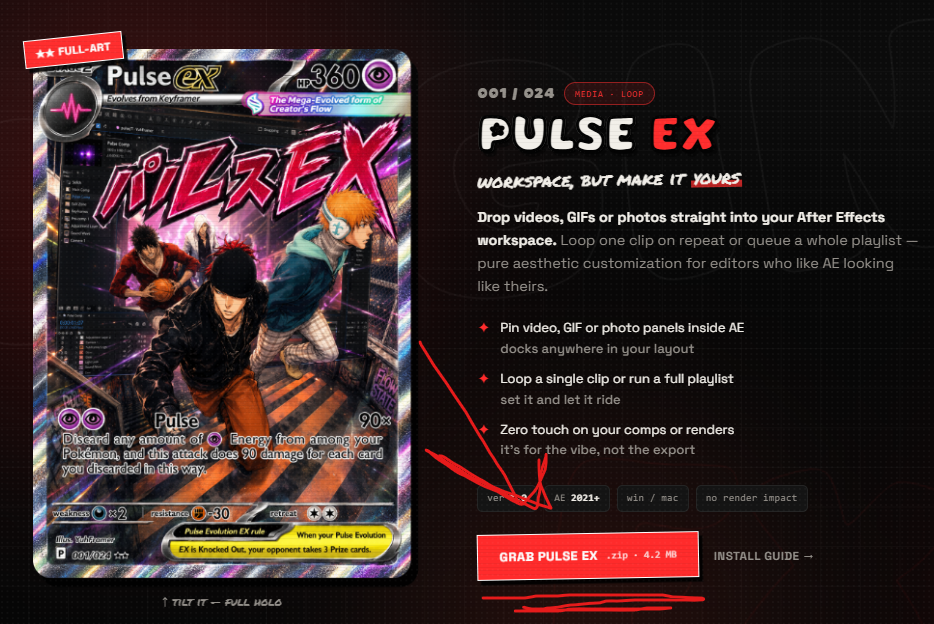
01hit the red Grab button on the plugin you want
step 01
Grab the download
Head to the plugins page and hit download on the one you want. Pulse downloads as a ZIP; AE Theme and FrameStation download as Windows setup EXEs.
✦Not sure which? Pulse loops media, AE Theme recolors the interface, and FrameStation adds collaboration rooms inside AE.
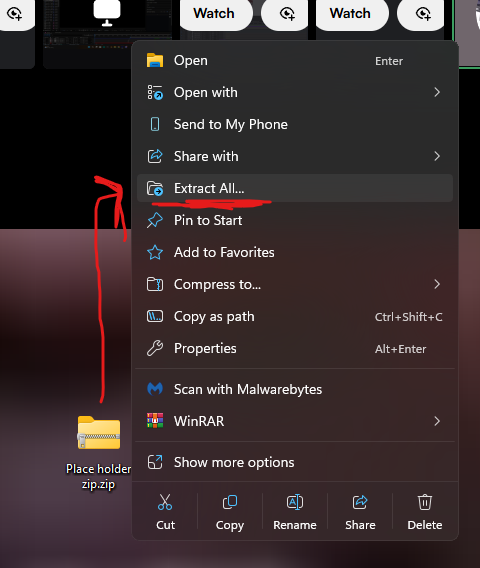
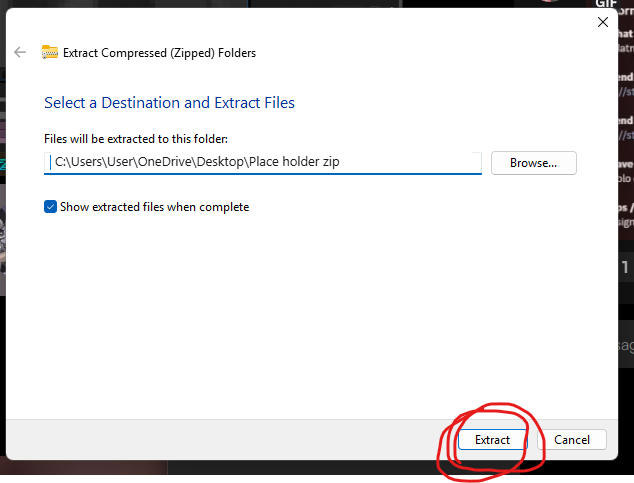
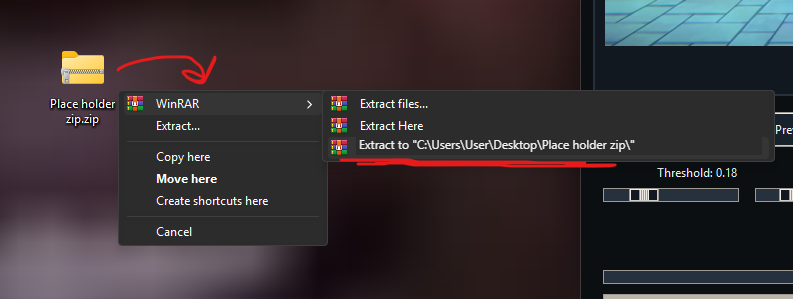
021. right-click the ZIP → Extract All…2. hit Extract in the dialogor, with WinRAR / 7-Zip: right-click → Extract Here
step 02
ZIP or setup
For ZIP plugins, right-click → Extract All, then Extract in the dialog (or just double-click it on Mac). For AE Theme or FrameStation, run the setup EXE and follow the installer.
✦Read the readme.txt when a ZIP includes one. For setup betas, note your Windows and AE versions if something acts strange.
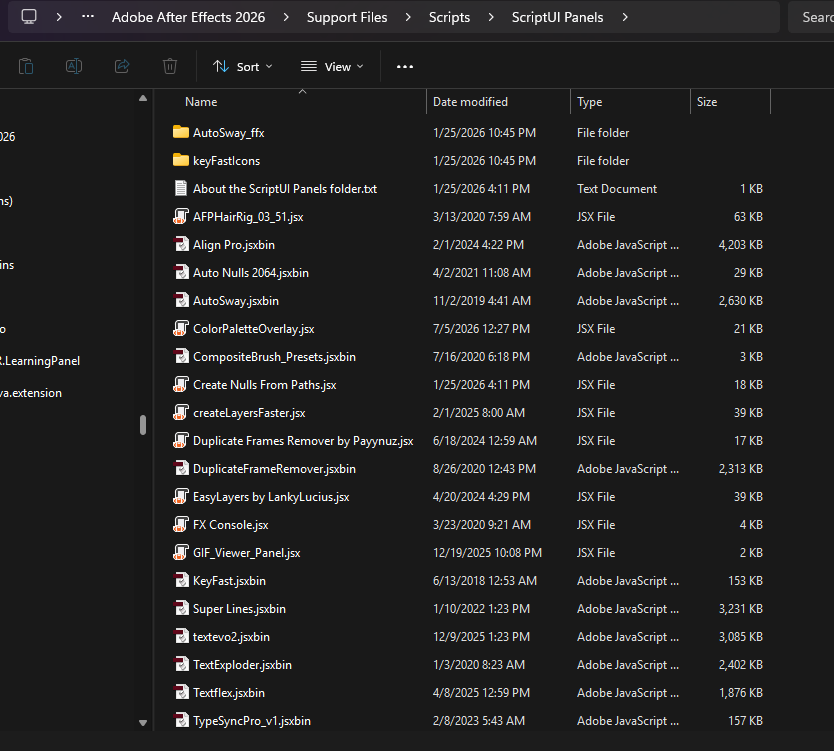
03drop the plugin into Support Files › Scripts › ScriptUI Panels
step 03
Drop it in AE
For ZIP panel plugins, quit After Effects first, then move the plugin file into your ScriptUI Panels folder. AE Theme and FrameStation use setup EXEs, so you can skip this folder step for those tools.
WindowsC:\Program Files\Adobe\Adobe After Effects <ver>\Support Files\Scripts\ScriptUI Panels\
macOS/Applications/Adobe After Effects <ver>/Scripts/ScriptUI Panels/
✦Swap <ver> for your version, e.g. 2024. If you downloaded AE Theme, use the installer and restart AE after it finishes.
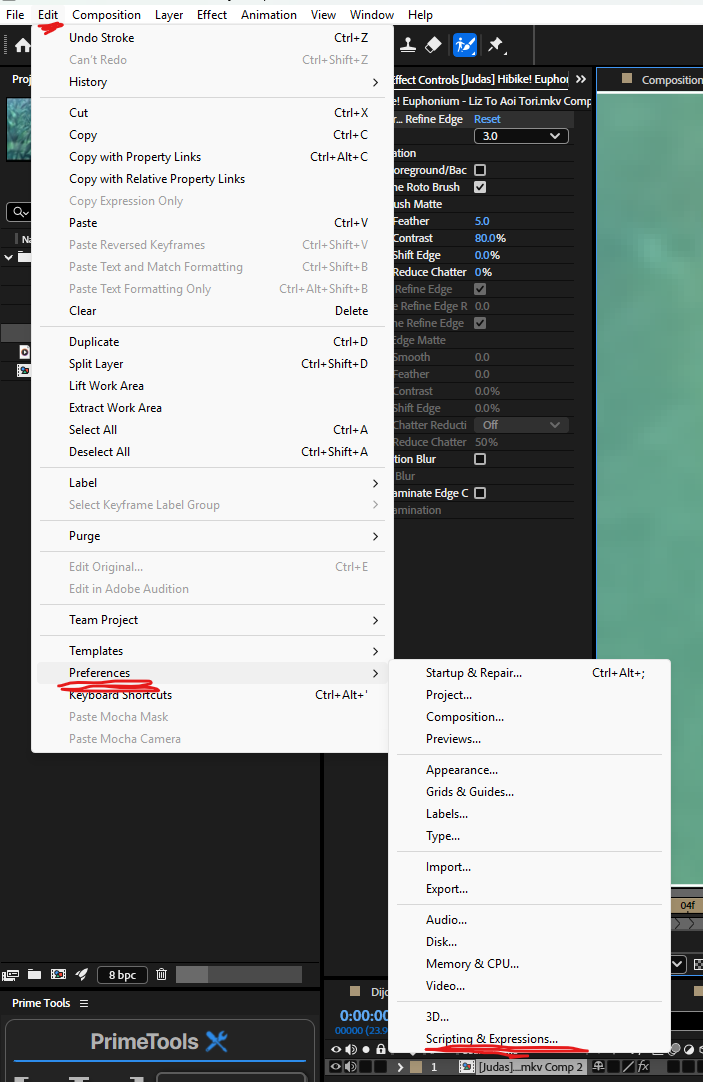
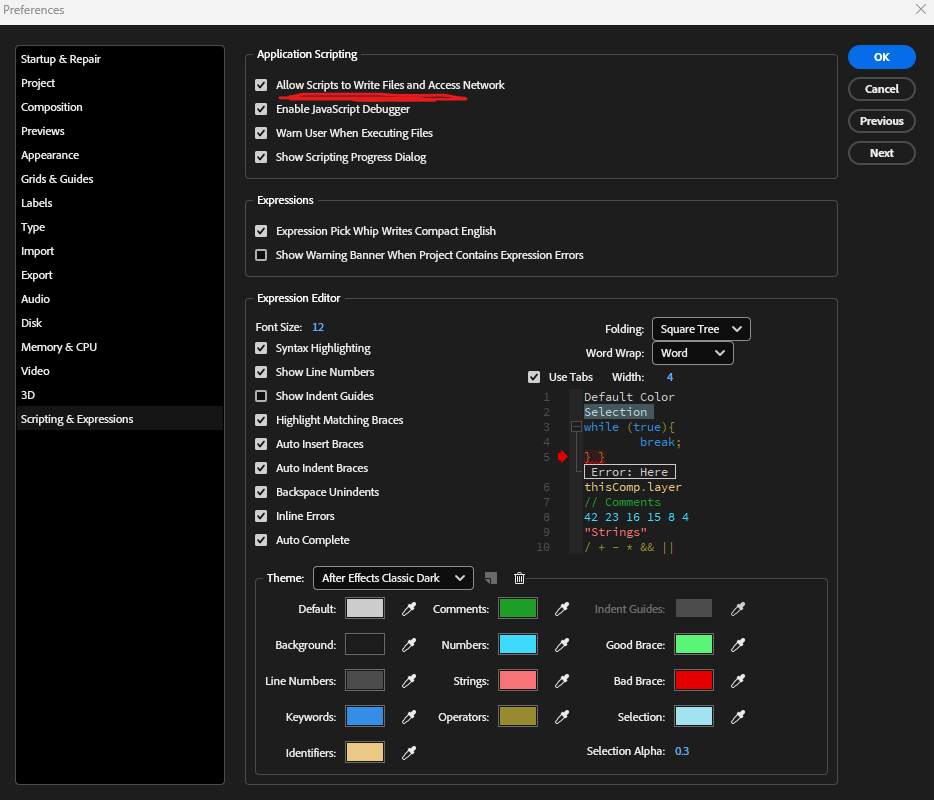
041. Edit → Preferences → Scripting & Expressions2. tick “Allow Scripts to Write Files and Access Network”
step 04 · first time only
Flip one setting
Open AE and go to Preferences → Scripting & Expressions. Tick "Allow Scripts to Write Files and Access Network." You only ever do this once.
✦Windows: Edit → Preferences. Mac: After Effects → Settings.
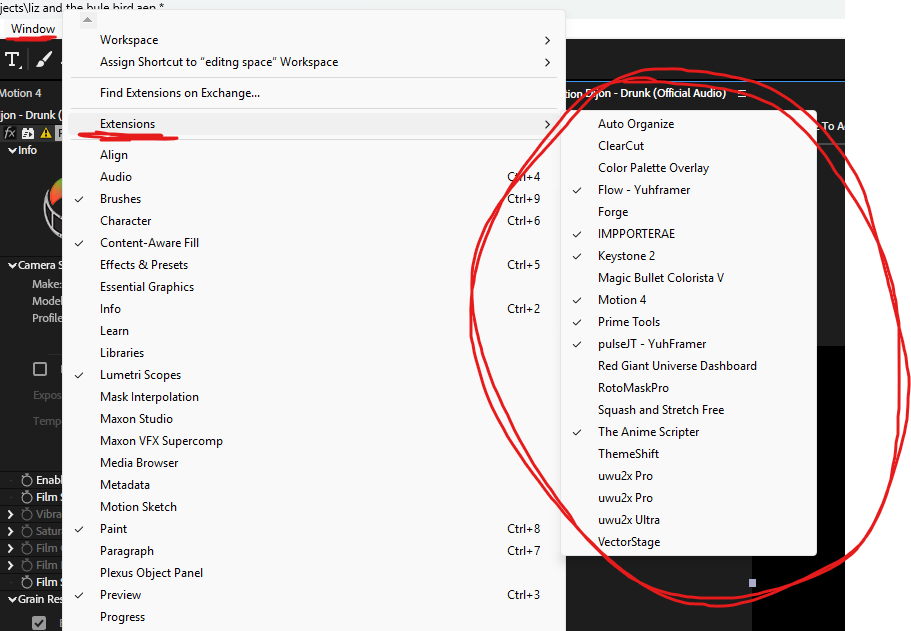
05Window → Extensions → your plugin (e.g. pulseJT)
step 05
Open it & go
Restart After Effects, then open the plugin from Window → Extensions — it shows up in the list under its own name. Drag it into your layout and dock it wherever feels right.
✦That's it — no license key, no watermark. Go make something loud.
when it won't cooperate
Something broke?
Don't panic — it's almost always one of these five. Tap a symptom to see why it happens and the exact fix.
It's not in the Window menustep 03+
9 times out of 10 the file landed in the wrong folder — or After Effects was still open when you dropped it in, so it never scanned it.
✓the fixConfirm it's inside Scripts › ScriptUI Panels — not just Scripts — then fully quit and reopen AE. A reload from the menu won't do it; it only scans that folder on launch.
Panel opens but it's blank or greyed outstep 04+
The panel loaded fine, but AE is blocking it from running because the scripting permission is still off.
✓the fixTurn on Allow Scripts to Write Files and Access Network under Preferences → Scripting & Expressions, then restart AE and it'll wake right up.
Mac says it can't verify the developermacOS+
macOS is cautious about files from outside the App Store. Nothing's wrong with the plugin — it just needs a one-time OK.
✓the fixRight-click the plugin → Open, or allow it under System Settings → Privacy & Security. You only approve it once.
GIF Panel isn't doing anythingneeds Flow+
GIF Panel doesn't run on its own — it customizes the Flow plugin, so with no Flow in the project there's nothing for it to hook into.
✓the fixInstall Flow first and apply it to a layer. Once Flow's active, GIF Panel latches straight on.
Wrong AE version / old buildAE version+
Pulse panel plugins target After Effects 2021 and up. AE Theme beta is stricter and expects After Effects 2026 build 26.0.0.67.
✓the fixCheck Help → About After Effects for your version. If you dropped a ZIP plugin into an older install's folder, move it into your 2021+ ScriptUI Panels folder instead.
None of that fixed it?
Drop into the Discord and post your OS, your AE version, and what you're seeing. Real answer, real fast.